THEME ARTWORK GUIDE
Build a complete look for the game
A complete submission needs 9 files: your original design, the menu background, arena floor and border, one food sprite sheet, and four separate button frames. The reward coin and food-points background are optional.
See an existing example
Jelly Playground artwork. Use these images to understand the format and views, then create your own design. Select an image to inspect it at full size.
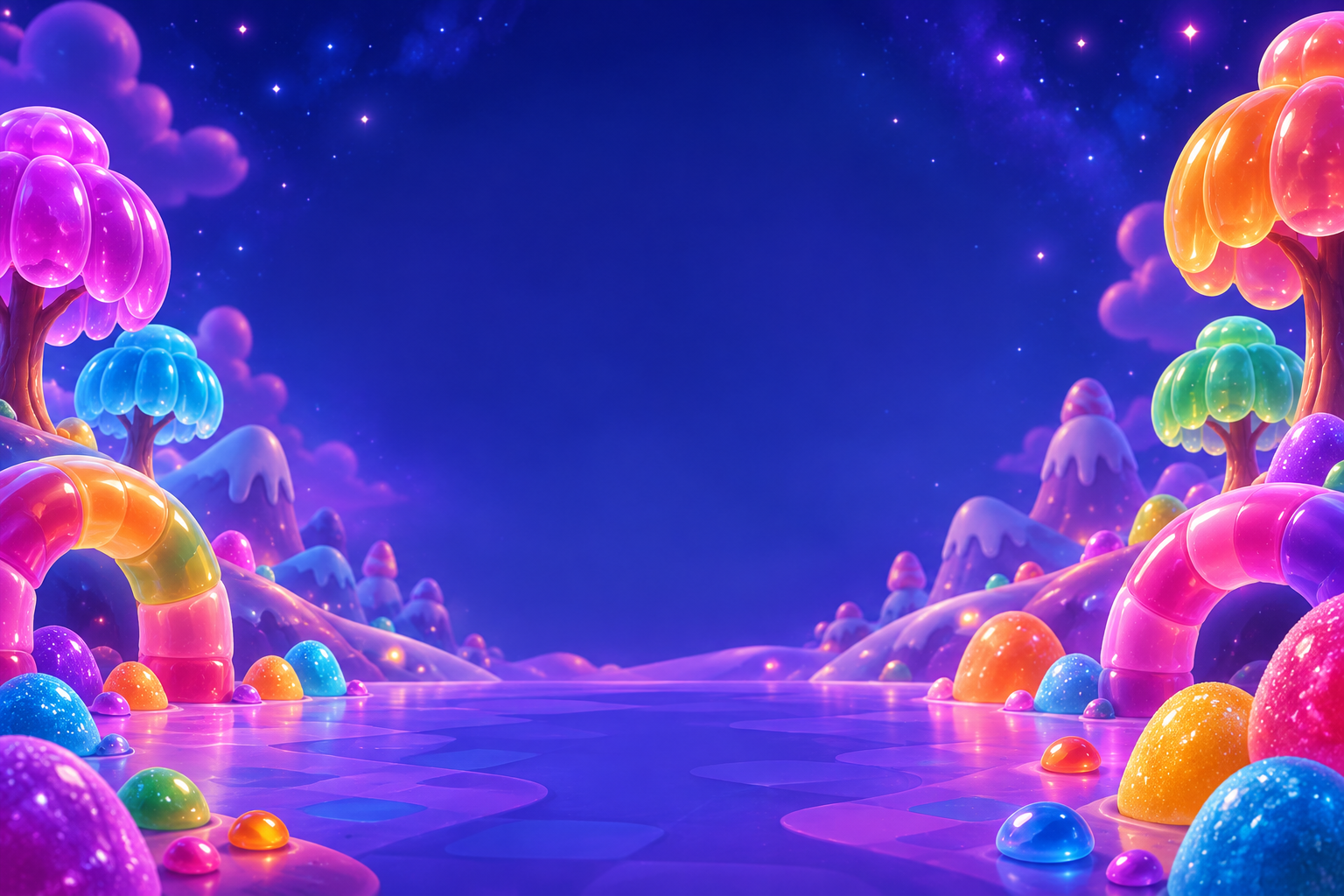
Leave room for readable menu controls.
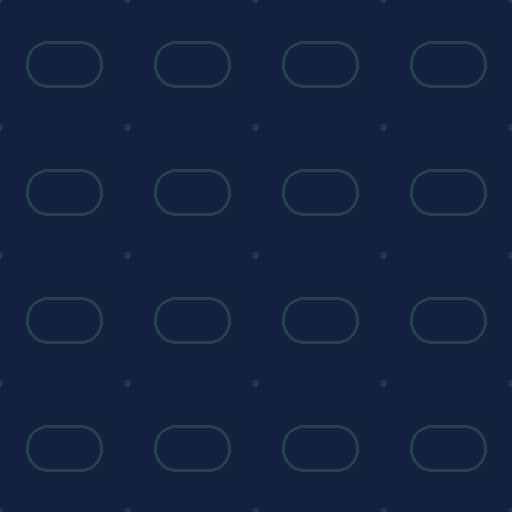
Opposite edges must repeat without a visible seam.
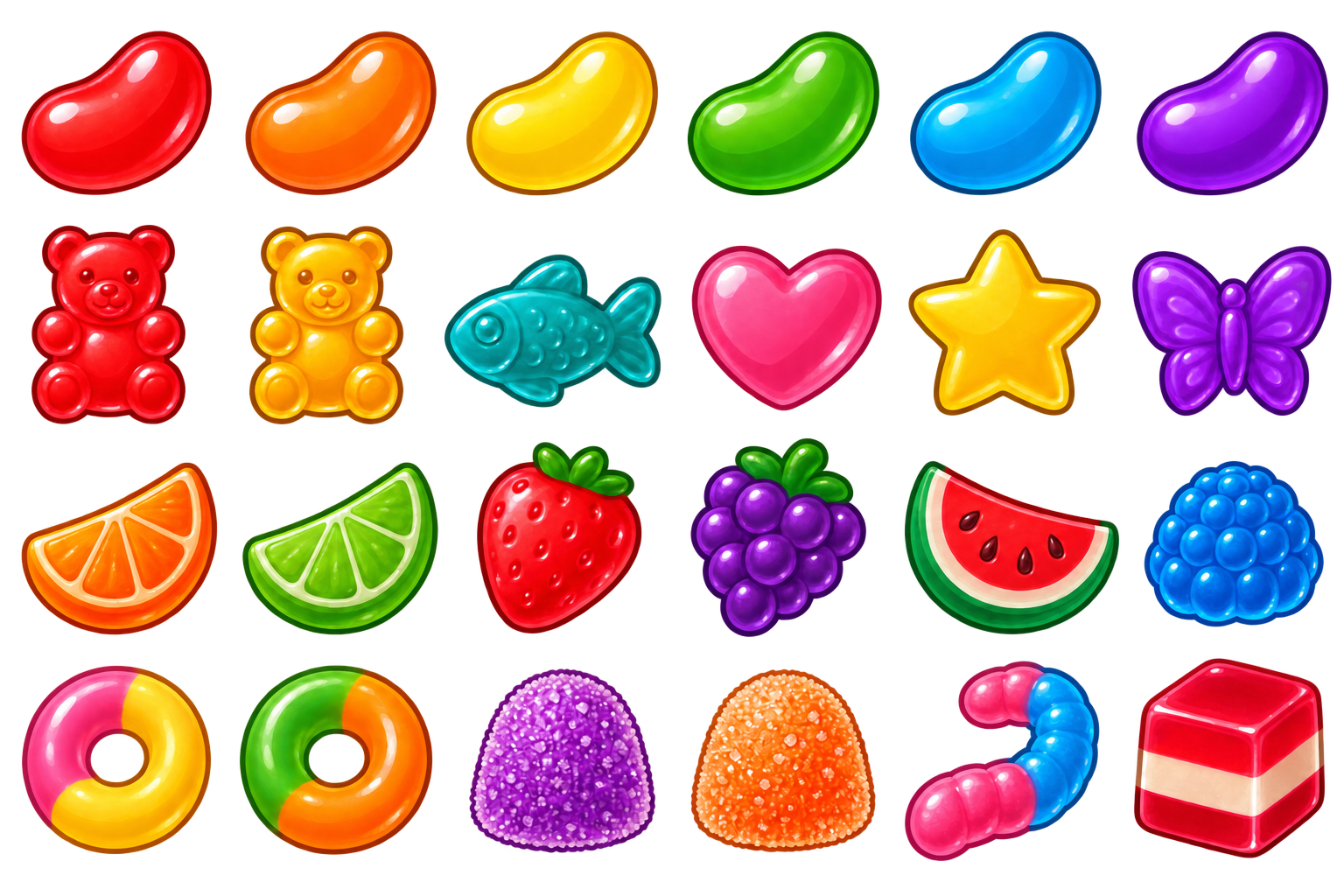
One sheet contains all 24 complete food items.
Prepare a coordinated artwork set
Choose a common palette, materials and lighting. Keep food and worms readable against the floor, and leave the menu's central area clear enough for controls. Recommended dimensions help you start; the limits on each file are the actual upload limits.
Upload limits are ceilings, not target file sizes. Export at the resolution your design needs. Existing example sizes are references, not required sizes.
Original design
Requiredoriginal.png · PNG, JPEG or WebP
Your complete visual reference. Keep this separate from the individual artwork files.
Maximum upload: 12 MB · up to 8,192 × 8,192 px
Menu background
Requiredmenu.png · PNG
Landscape PNG. Keep the central menu area quiet so the game title, player name and controls remain readable. Do not paint interface labels into the background.
Maximum upload: 8.39 MB · up to 4,096 × 2,048 px
Recommended: 1536 × 1024 px
Arena floor
Requiredfloor.png · PNG
Square, seamless PNG tile. Opposite edges must join cleanly. Normal or mirrored repetition can be used.
Maximum upload: 8.39 MB · up to 2,048 × 2,048 px
Recommended: 512 × 512 px
Arena border
Requiredborder.png · PNG
A horizontal repeating strip, or a complete square ring with a transparent center. The border layout must match the artwork. Artwork does not change the arena boundary.
Maximum upload: 8.39 MB · up to 2,048 × 2,048 px
Recommended: 512 × 64 px strip, or 1536 × 1536 px ring
Food sheet
Requiredfood-sheet.png · PNG
One transparent PNG sprite sheet: six columns by four rows, 256 × 256 pixels per cell. Place one complete food item in each cell, with transparent space around every edge. No labels, grid lines, shadows or background panels. The editor detects the 24 food bounds automatically.
Maximum upload: 8.39 MB · up to 1,536 × 1,024 px
Recommended: 1536 × 1024 px
Single Player button
Requiredbutton-play.png · PNG
Four transparent PNG frames: Single Player, Multiplayer, How to Play and Skins. Keep the middle clear for localized labels. Do not bake words into the artwork.
Maximum upload: 2.1 MB · up to 2,048 × 1,024 px
Recommended: 1024 × 320 px each
Multiplayer button
Requiredbutton-multiplayer.png · PNG
Four transparent PNG frames: Single Player, Multiplayer, How to Play and Skins. Keep the middle clear for localized labels. Do not bake words into the artwork.
Maximum upload: 2.1 MB · up to 2,048 × 1,024 px
Recommended: 1024 × 320 px each
How to Play button
Requiredbutton-help.png · PNG
Four transparent PNG frames: Single Player, Multiplayer, How to Play and Skins. Keep the middle clear for localized labels. Do not bake words into the artwork.
Maximum upload: 2.1 MB · up to 2,048 × 1,024 px
Recommended: 1024 × 320 px each
Skins button
Requiredbutton-skins.png · PNG
Four transparent PNG frames: Single Player, Multiplayer, How to Play and Skins. Keep the middle clear for localized labels. Do not bake words into the artwork.
Maximum upload: 2.1 MB · up to 2,048 × 1,024 px
Recommended: 1024 × 320 px each
Reward coin
Optionalcoin.png · PNG
Optional transparent reward-coin artwork. Leave it empty to use the standard coin. Artwork does not change coin values or rewards.
Maximum upload: 4.19 MB · up to 2,048 × 2,048 px
Recommended: 512 × 512 px
Food-points background
Optionalscore.png · PNG
Optional simple, solid colored silhouette behind floating food points. Use a transparent background and an uncluttered center. Leave empty for plain points.
Maximum upload: 2.1 MB · up to 512 × 512 px
Recommended: 128 × 128 px
One food sheet, 24 complete items
Use a transparent 1536 × 1024 pixel canvas with six columns and four rows of 256 × 256 pixel cells. Put one complete food item in each cell, in reading order from the top left. Upload the finished sheet once under Food sheet.
- Start with the downloadable layout. Keep the guide layer separate from your artwork.
- Draw one item inside each cell. Leave generous clear space around its full outline; a 16-pixel working margin is useful. Keep detached details with their item, away from neighboring cells.
- Inspect every item against light and dark backgrounds. Look for clipped outlines, neighboring fragments, shadows, stray pixels and accidental opaque backgrounds.
- Hide or remove the guide layer, then export a transparent PNG. Do not include labels, numbers, grid lines or background panels.
The SVG layout opens in an image editor. It is a guide layer; export your finished art as PNG. Existing approved example sheets retain their reviewed item boundaries—do not recrop them just by assuming every item stops at a grid line.
Check repetition and readable controls
Arena floor
Make a square seamless tile. Arrange copies in a grid and check both horizontal and vertical joins. Avoid a strong directional edge or large isolated detail that reveals the repetition.
Arena border
Use either a repeating horizontal strip or a complete square ring with an empty transparent center. Keep the artwork consistent with that layout, and mention your intended layout in the project description so the publishing team can set it correctly. The art does not change the arena boundary.
Four menu button frames
Export Single Player, Multiplayer, How to Play and Skins as four separate transparent PNGs. These are decorative frames. Leave a usable clear center and do not paint words into them—the game supplies translated labels. Check that the frame can stretch without distorting important details.
Optional artwork
A coin should read clearly at small size. The food-points background should be a simple silhouette with an uncluttered center. Leaving these files empty uses the standard coin or plain points.
Upload your theme
- Open Themes, choose New theme, add a name and describe the intended floor/border treatment, menu colors and any special layout needs. Save the draft.
- Upload the Original design first, then each matching artwork type. Food uses one sprite sheet; the buttons use four separate files.
- Inspect every preview and replace anything with a seam, cropped detail or unreadable contrast. Add optional artwork only if the theme needs it.
- Submit once all required files are ready. Review locks the submission until feedback requests changes.
Approval creates an unpublished theme-library entry. The team sets publication and scheduling separately; saving your draft does not change a published theme.